



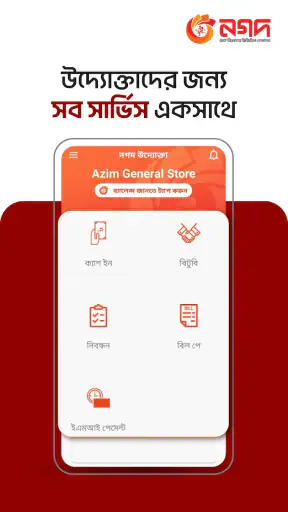
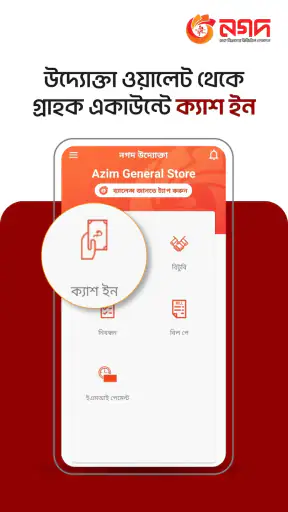
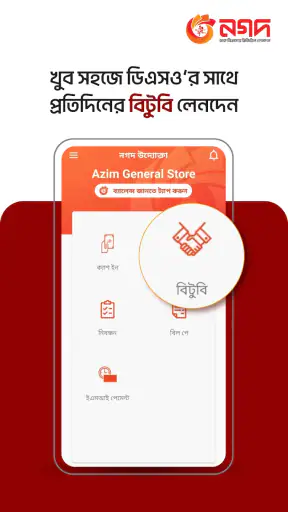
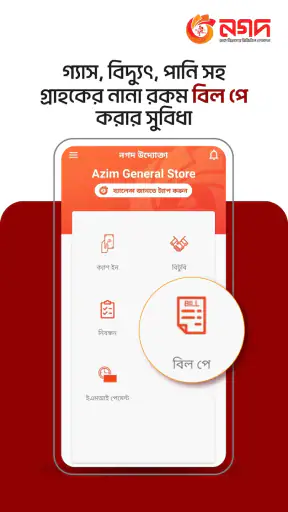
Using Nagad Uddokta feels less like opening a general digital wallet and more like stepping into a working tool for people who serve Nagad customers. That distinction matters from the first screen. I would not choose it simply because I wanted a personal finance app; I would consider it when my role involved handling Nagad services for other people. In that setting, the app’s focused purpose can be more useful than a crowded application filled with features I never need.
Nagad Limited developed this free finance app for the Nagad Uddokta channel. It is available for Everyone and runs on Android devices using version 5.0 or later. The current release is 1.0.119.01, and its popularity is clear from more than five million installs, with an average rating of 4.2 from roughly thirty-five thousand ratings. Those figures suggest that it has reached a substantial working audience, although popularity alone does not remove the need to judge whether its role matches yours.
Where the connection becomes part of the job
The most important thing I noticed about this kind of app is that connectivity is not a background detail. An Uddokta normally uses the application while helping a customer, so the quality of the mobile network can affect the entire interaction. A screen that loads quickly makes the process feel straightforward; a delayed response creates uncertainty for both people standing at the counter.
That makes Nagad Uddokta different from a notes app or a calculator, where a weak signal may be an inconvenience but does not necessarily interrupt the task. Here, the user needs to treat the connection as part of the workflow. I would check that mobile data is active before beginning a customer transaction, especially in a busy shop where several people may be waiting.
A realistic example is a customer arriving to complete a routine Nagad service while the shop’s Wi-Fi is unstable. I would avoid switching repeatedly between networks in the middle of the process. Instead, I would first confirm which connection is responding, then proceed carefully and wait for each screen to finish before tapping again. That small habit reduces the chance of duplicate actions caused by impatience.
The most useful discipline is to separate a slow response from a failed transaction. A spinning or delayed screen does not automatically mean that the previous action did not go through. Repeating the same command immediately can create confusion. I would pause, look for a clear status change or confirmation, and only then decide what to do next. This is practical advice for any channel tool, but it matters especially when the app is being used in front of a customer.
Why a focused channel app can be preferable
Compared with a typical personal wallet, Nagad Uddokta has a narrower identity. A personal finance application is usually designed around the account holder’s own balance, payments, transfers, and everyday money management. This app is aimed at the Uddokta side of the relationship instead. That makes it a better fit for a service point than for someone who only wants to manage personal spending.
I appreciate that distinction because it prevents an incorrect expectation. Installing it does not automatically make it the best Nagad application for every user. If I were looking for a personal wallet, I would start with the consumer-facing option intended for individual customers. If I were operating as a Nagad Uddokta, the dedicated channel approach would make more sense because the work context is different.
The trade-off is that a specialized app can feel limited outside its intended role. Someone who only wants to send money occasionally may find the workflow unnecessary or may not have the appropriate Uddokta context for using it. In my view, that is not a weakness in the design so much as a reason to identify the intended user before installing it.
Using it in a small shop or service counter
Mobile use changes the experience. An Uddokta may be standing behind a counter, moving between customers, or working in a location where the phone is handled constantly. I would keep the device charged, maintain a clear view of the screen, and avoid starting a transaction while walking or while the device is being passed around. Financial actions deserve a deliberate rhythm even when the shop is busy.
Screen visibility also matters in a crowded setting. I would angle the phone so the customer can see the relevant progress without exposing unrelated information. This is not a special feature claim about the app; it is simply a sensible way to use a financial channel tool around other people. A focused workspace and a consistent position for the phone can make it easier to notice whether the application has actually completed a step.
Another useful habit is to keep customer conversations separate from button presses. I would confirm the requested service verbally, enter the information once, and then check the result before moving to the next person. When the network is busy, multitasking becomes risky because a user may forget which screen belongs to which customer. The app cannot replace that basic operational discipline.
For an Uddokta serving people in a rural or crowded area, mobile connectivity may be less predictable than it is in a home or office. I would test the connection at the beginning of the working period rather than discovering the problem during a queue. If the signal is weak, setting expectations with customers is better than tapping repeatedly and presenting uncertain results.
What to do when a screen stalls
My approach to a stalled screen would be cautious rather than dramatic. First, I would wait briefly without pressing the same control over and over. Then I would check whether the phone still has a working connection and whether the app has moved to another state. If the screen remains unchanged, I would leave the current task only when doing so is clearly safe, then reopen the relevant flow and verify the result before attempting anything again.
This is where a channel app demands more attention than a casual utility. The main danger is not merely losing time; it is losing confidence about what happened. A user may see no immediate response and assume failure, while the service has actually been accepted. I would record the customer’s details in the normal business process and verify the app’s visible outcome before making a second attempt.
Restarting the application can be a reasonable recovery step after an obvious freeze, but I would not use a restart as proof that the earlier action failed. The correct sequence is to regain a stable connection, reopen the app, and check the transaction state or visible confirmation that the application presents. If the issue continues, I would stop rather than improvise multiple retries in front of the customer.
There is also a human side to recovery. When the shop is busy, customers may interpret a delay as a problem with the service itself. I would explain that the connection is taking time, keep the phone in view, and avoid promising completion until the app shows a clear result. That approach protects trust better than rushing through uncertain screens.
Keeping mobile data use practical
The app is free to install, but using a finance channel application still depends on the user’s broader mobile setup. I would pay attention to which connection is active and avoid assuming that every network will behave identically. A stable mobile signal is often more useful than a crowded public Wi-Fi network, particularly when the phone is being used at a counter and the user needs a predictable response.
I would also avoid unnecessary background activity while handling customers. Closing unrelated apps can make the phone easier to operate and may reduce distractions, even though it does not guarantee a faster Nagad Uddokta response. The key benefit is concentration: fewer notifications and fewer accidental switches make it easier to notice the exact state of a financial task.
For people managing limited data, the sensible approach is to use the application for its intended work rather than leaving it open continuously. Open it when the channel task is needed, complete the process carefully, and close it when the working session is over. I would not claim that this app uses a particular amount of data, because that can vary with device conditions, network behavior, and how often it is used.
Keeping the application updated is another practical consideration. The installed version is 1.0.119.01, and staying on the current release can help a user receive the developer’s latest changes. I would update over a trusted connection when possible, then open the app before serving customers to make sure the sign-in and working screens behave as expected. Doing that before the queue forms is much less stressful than discovering an update-related interruption during business hours.
Who will benefit most from it
I see Nagad Uddokta as a strong match for an authorized or intended Nagad channel user who needs a dedicated mobile work tool. Its value comes from fitting that role, not from trying to become a universal finance application. Someone who regularly assists customers can benefit from having the relevant workflow on a phone instead of relying on an unrelated personal wallet.
It is also suitable for users who are comfortable working with mobile connectivity as part of their routine. That does not mean they need a perfect signal everywhere, but they should be willing to pause, verify results, and recover carefully when the network is slow. The app rewards a methodical user more than a hurried one.
I would skip it if my only goal were personal money management. A consumer-focused wallet would likely be more natural for that situation. I would also hesitate if my workplace regularly has unreliable connectivity and no practical way to verify transaction outcomes. The application may still be relevant, but the surrounding conditions could make the experience frustrating and increase the risk of operational mistakes.
The Everyone age rating makes it broadly accessible from an age-classification perspective, yet the intended financial role remains important. A general audience rating should not be confused with a promise that every person will find the app useful. In my opinion, the question is less “Can my phone install it?” and more “Am I using it for the channel work it was designed to support?”
What the rating and reach tell me
The 4.2 average and around thirty-five thousand ratings give the app a reasonably positive public reception. I treat that as a helpful signal rather than a guarantee. Finance tools are judged in real working conditions, and a rating cannot tell me how the app will behave in a particular shop, on a particular phone, or with a particular network.
The scale of its audience does make the app easier to take seriously than an obscure tool with little visible adoption. More than five million installs show that it is not a niche experiment with no practical presence. Still, I would base the installation decision on the Uddokta role and the local working environment first, then use the ratings as supporting evidence.
One subtle point is that channel users may value reliability and clarity more than visual novelty. I would rather have a focused process that is easy to check than a flashy interface that encourages fast but uncertain tapping. When handling someone else’s financial request, a clear confirmation is more important to me than extra decoration or unrelated features.
My practical setup before serving customers
Before opening for the day, I would make sure the phone has enough charge, mobile data is enabled, and the application launches normally. I would also keep the device’s screen clean and position it where I can operate it without handing it repeatedly to customers. These are simple preparations, but they reduce avoidable interruptions.
I would establish one repeatable routine: identify the customer’s request, enter the required information carefully, wait for the application to respond, and verify the result before moving on. Repeating that sequence is more valuable than trying to memorize shortcuts that may encourage careless taps. If the connection becomes unstable, I would return to the last clearly confirmed state instead of guessing.
For a new Uddokta, I would practice the navigation during a quiet period rather than learning while a queue is waiting. The goal is not speed for its own sake. It is knowing where to look when a screen takes longer than expected and recognizing the difference between an unfinished step and a completed one. That preparation can make the app feel much more dependable.
I would also keep a simple offline business record of customer requests and completed outcomes where appropriate to the shop’s normal procedures, without treating that record as a replacement for the application’s own result. This gives me a way to reconcile the day’s work, while the app remains the place where the channel action is performed and confirmed.
My connectivity verdict
Nagad Uddokta is best understood as a work-focused finance app whose usefulness depends on both the intended role and the quality of the connection. I like its specific purpose because it avoids the confusion of a personal wallet when the user is actually serving customers. The free price and broad Android compatibility make trying it straightforward, while its established install base and solid average rating provide some reassurance that it is being used widely.
My reservations are practical. A weak network can turn a simple customer interaction into a waiting exercise, and repeated tapping can make uncertainty worse. The app is not the right choice for someone seeking a general personal finance companion, nor would I rely on it casually in a setting where transaction outcomes cannot be checked carefully.
For the right user, however, the focused design is the point. I would recommend Nagad Uddokta to a Nagad channel worker who wants a dedicated mobile workflow and is prepared to use it patiently when connectivity is imperfect. I would recommend a consumer-oriented alternative to someone managing only personal finances. That clear separation is what makes my final opinion positive: it does not need to serve everyone, but it can be genuinely useful when the Uddokta role, the phone, and the network all line up.


